One file.
That's the whole analytics platform.
Privacy-first, self-hosted web analytics. No dependencies. No cookies. Just drop one PHP file on your server.
Why MintyMetrics
Single PHP File
One file, ~249KB. No frameworks, no build steps, no package managers. Drop it in and you're done.
Zero Cookies
No cookies. No fingerprinting. No data sent to third parties. GDPR-friendly by architecture, not by banner.
SQLite Storage
All data stays on your server in a single SQLite file. Full ownership. Easy backup. No MySQL, no Redis.
Custom Events
Track signups, exports, button clicks — whatever matters. One line of JS, top events in the dashboard.
See what one file can do
A 60-second look at everything MintyMetrics gives you — from drop-in setup to a full analytics dashboard. No accounts, no config files, no infrastructure.
View on GitHubSee it in action
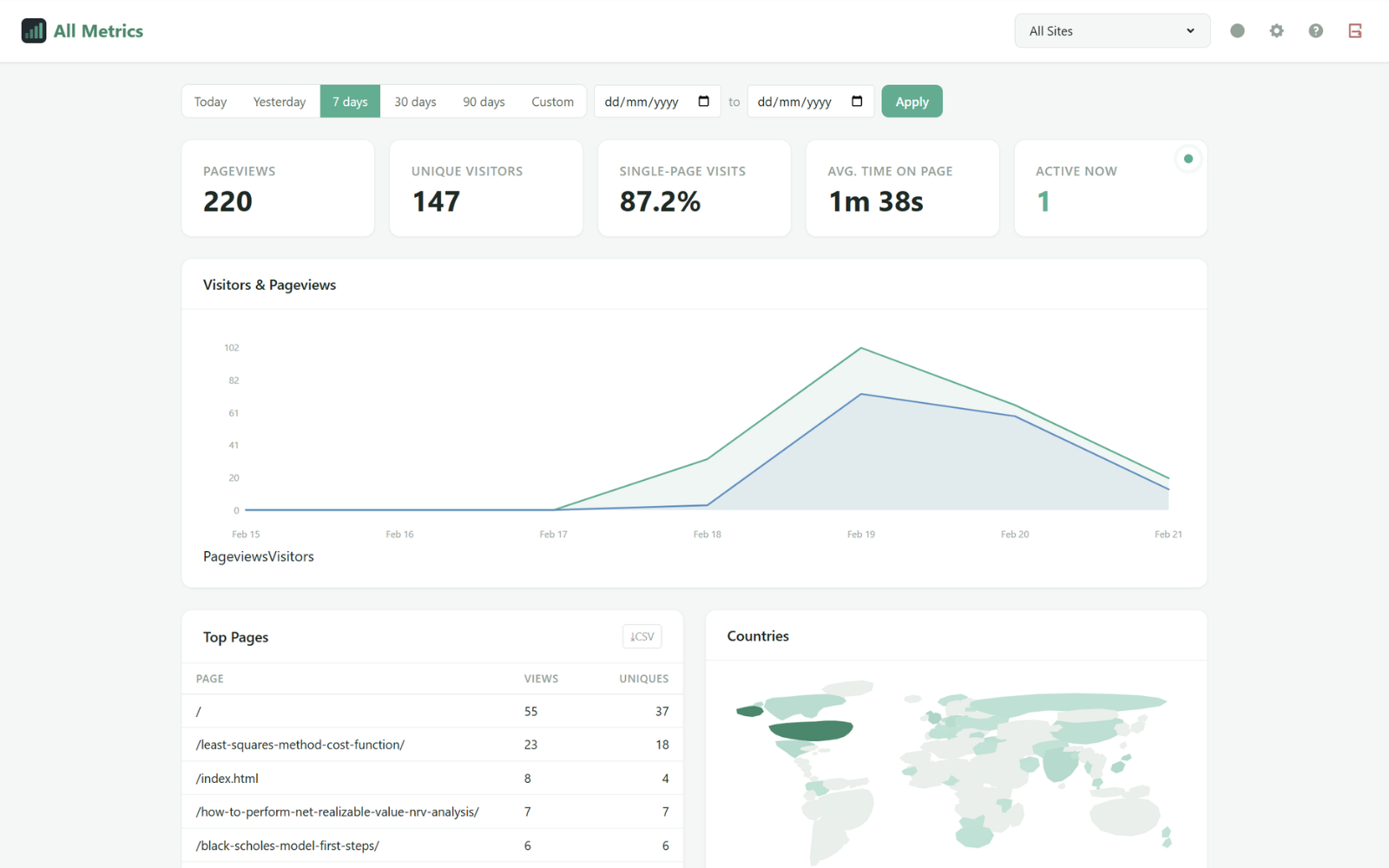
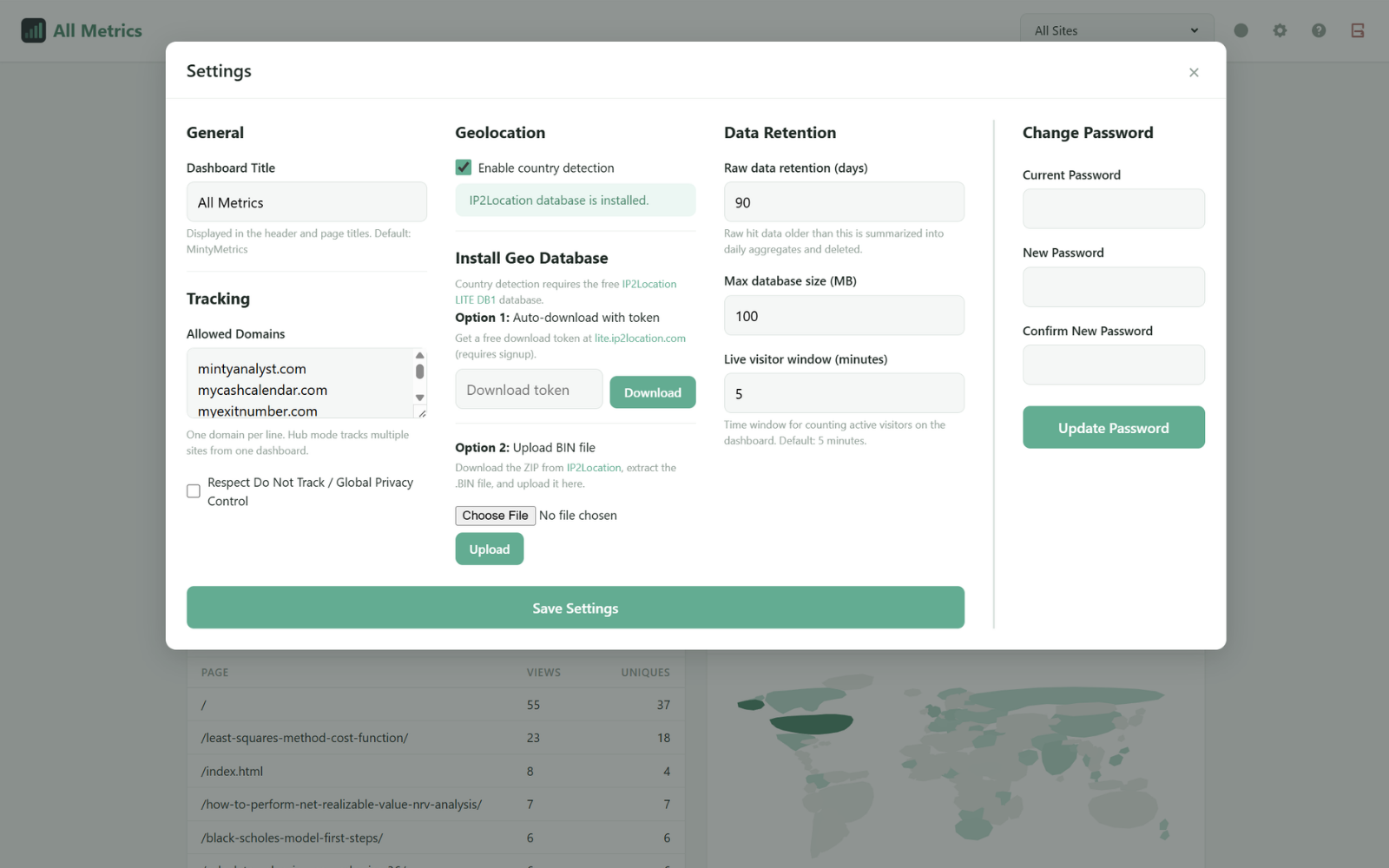
A clean, fast dashboard — no clutter, no learning curve.
How it compares
| MintyMetrics | Google Analytics | Plausible | Matomo | |
|---|---|---|---|---|
| Files to deploy | 1 | N/A (SaaS) | Docker stack | 200+ files |
| Dependencies | 0 | Google's servers | ClickHouse, Elixir | MySQL, PHP extensions |
| Cookies | None | Multiple | None | Optional |
| Cost | Free forever | Free (data is the product) | Free / $9+/mo | Free (self-hosted) |
| Data ownership | 100% yours | Google's | Yours | Yours |
| Setup time | 30 seconds | Minutes + consent | 15–30 min | 30+ min |
Up and running in 30 seconds
Requires PHP 8.1+ with SQLite — most hosts have this built-in.
Add to your PHP page
Include the file at the very top of your page:
<?php include 'analytics.php'; ?>
Then add the tracking snippet inside your <head> tag:
<?php MintyMetrics\head(); ?>
Setup
Open /analytics.php in your browser to set your password. That's it — visit your site to confirm tracking is active.
https://yoursite.com/analytics.php
Upload
Upload analytics.php to your server.
scp analytics.php yourserver:public_html/
Setup
Open /analytics.php in your browser to set your password and whitelist your domains.
https://your-server.com/analytics.php
Add script tag
Add this to each site you want to track. That's it — visit /analytics.php to see real-time data across all your sites.
<script src="https://your-hub.com/analytics.php?js&site=yoursite.com"></script>
Optional: track custom events New in v1.1
Once tracking is wired up, drop these two snippets to record any user action — signups, exports, button clicks. Top events show up automatically in the dashboard.
<script>window.mm=window.mm||function(){(window.mm.q=window.mm.q||[]).push(arguments)};</script>
Then call it whenever something interesting happens:
mm('track', 'signup', 'pro');                          // name + value
mm('track', 'export', 'stl-binary', { scope: 'scene' }); // + props
Built for solo developers, small teams, and anyone who wants analytics without the bloat.
Your server. Your data. One file.
No sign-ups. No subscriptions. Just download and go.
Get MintyMetrics on GitHub